
You are viewing an archive of Victory Road.
Victory Road closed on January 8, 2018. Thank you for making us a part of your lives since 2006! Please read this thread for details if you missed it.

Volcarona
523 posts
http://www.tuxfiles.org/linuxhelp/linux-xp.html
< Linux XP, the distro with Clippy >
Ladies and gentlemen, I'm pleased to announce a new and improved Linux distribution, Linux XP! It is the distribution that has all the most popular features of Windows, combined with the stability of Linux. Here are some of the special features of Linux XP:
Ease of use. One of the reasons why Windows is so popular is its ease of use. Some innovative improvements have been made to Linux XP. For example, many users find the permissions confusing, because it's weird that a normal user can write to only one directory. It's also confusing that only the root user can install new software. Linux XP doesn't have this permission problem, because every user on this new and improved distribution has the same rights as root. This leads to increased security, because now the user doesn't have to log in as the root user at all!
No command line. The command line is often confusing people, and it looks too much like MS-DOS, so Linux XP doesn't have a command line at all! The X Window System starts up automatically when the system boots up, the user won't be able to switch to another virtual terminal, and there are no terminal emulators whatsoever. This has two advantages. First, the user doesn't have to even see the command line which would look like old and obsolete DOS. Second, when the X Window System crashes, the whole Linux system becomes unusable because the user can't go to the command line. This will force the user to press the computer's Reset button, thus giving him the same feel as in Windows.
Improved BSOD. The BSOD is one thing that a Windows user sees regularly, and it may be hard to get used to the fact that there are no BSOD's in Linux. But Linux XP has it's own improved BSOD that occurs every time the kernel crashes, and because the Linux XP's BSOD has a beautiful shaded background, it's even more pleasant to watch than its Windows equivalent. Of course Linux XP uses its own modified Linux kernel, with a new code that makes the operating system crash randomly.
Clippy. Since many users migrating from Microsoft Office will miss Clippy, Linux XP has its own version of Clippy: Tuxedo, a cute penguin character that looks like Tux. Our customers can be confident that Tuxedo will be even more helpful than Clippy. For example, when the user opens a wordprocessor, Tuxedo suggests websites that teach how to read and write. And when the user moves the mouse, Tuxedo tells the user what is a mouse, how it is used, and displays a mouse tutorial.
Advanced file management. In other Linux distributions, it's easy to accidentally overwrite or delete an important file, without the chance to undo the changes. In Linux XP's new graphical file manager the risk of doing this unfortunate mistake is smaller. For example, when the user deletes a file, Linux XP will show a dialog asking: "Do you really want to delete this file?" If the user clicks OK, another dialog says: "If you delete this file, it will be removed from your system. Proceed?" If the user clicks OK, another dialog informs: "If you remove this file, you won't be able to view or execute it anymore. Are you sure?" If the user still clicks OK, another dialog says: "Removing this file may affect other files on your system. Do you want to continue?" If the user clicks OK again, a dialog asks: "Are you sure you want to delete this file?" If the user clicks OK, the file manager will move the file to Trash and Tuxedo pops up telling the user that he's removed the file and he won't be able to view or execute it again, unless he wants to restore it from Trash.
Beautiful desktop. Linux XP uses a modified version of KDE, with look and feel similar to Windows XP, except that the window decorations are cuter, the buttons are more round, and the icons are bigger. Click here to see a screenshot of Linux XP with the default "So easy even a child can use it" theme. The default installation of Linux XP contains the Barbie, Candy, Teletubbies, and Sickbag themes, and our customers can easily download more themes from the Linux XP's website.
Improved virus and worm support. The unfortunate fact is that there are many viruses for Windows but very few for Linux. Linux XP has a special support for Windows viruses, which means that Windows viruses can damage a Linux XP system just as much as they damage Windows! This makes users who migrate from Windows really feel like home. The new Outlook compatible mail client for Linux XP ensures the easiest and most efficient way of getting infected by new viruses and forwarding them to all of the user's friends. When a Linux XP system gets infected by a virus, a dialog box is displayed with a progress bar and the informative text "Please wait while your system is being damaged." At the same time some relaxing music is played in order to make sure the waiting is as pleasant as possible, since the process may take a while, depending on the virus.
Trojan Horse downloads. The Linux XP's website has huge software download archives, and the users can easily download many different Trojan horses to their system. And because every normal user on a Linux XP system has the same rights as the root user, our customers can be confident that the damages caused by Trojans are maximized on a Linux XP system, thus letting the users experience exciting moments.
Cracker friendly. Because it is very easy to crack a Windows system, we have realized that most Windows users would feel trapped if they used a normal Linux installation. Fortunately, the new Linux XP has a security system which makes sure that every possible port on a Linux XP system is open. If this isn't enough, we also have a "Cracker Invite Wizard" which walks the user through an easy procedure where he can define how, when and how often he wants the system to be cracked. As a new feature in the latest version of the Cracker Invite Wizard the user can also enable the "Script Kiddie" option and define the age range he prefers, and the Cracker Invite Wizard automatically generates scripts and little programs based on the user's preferences and sends them to the creative and talented members of the "1337 Linux XP 5cr1p7 k1dd13z community".
New marketing strategy. The marketing strategy of Linux XP is new and innovative. We have currently sued every other company and organization that maintains and develops other Linux distributions, because the usage of the word "Linux" may cause confusion between Linux XP and other Linux distributions. We have also sued Microsoft for using the letters XP in their products, because it can lead to a confusion between Linux XP and Windows XP. Because of these lawsuits, Linux XP will be very soon the only operating system available, and every user will have a compatible environment.
We keep you up-to-date! Our new licensing policy helps you to have only the latest software on your system, thus being always up-to-date. When you buy Linux XP for only $1000, you'll get the right to use it for one year. After the period has expired, you'll have to buy the newest version of Linux XP and another one-year-license for $1000. If you don't buy, you'll have to pay $1700 the next time you upgrade, instead of $1000. As you can see, this new licensing policy encourages our customers to upgrade constantly. And because every new version of Linux XP has greater hardware requirements, you'll have to buy new hardware every time you upgrade your software, so you have not only the latest Linux XP but also the latest hardware!
If you know some advanced features that we should add to Linux XP, please contact us and we'll consider your suggestion. Thank you, we appreciate your feedback.
Volcarona
523 posts
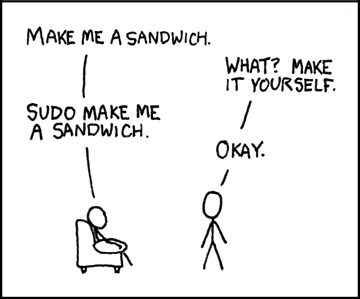
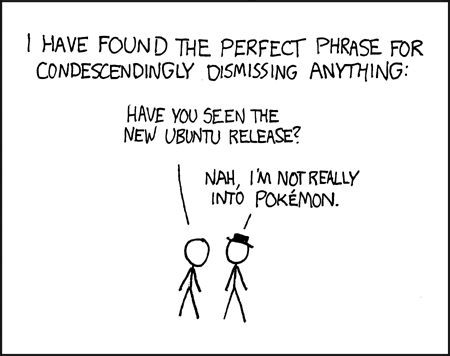
more linux jokes
Q: Why is Microsoft's OS called Windows?
A: Because its too easily broken.
"When you tell people that you wrote software that crashes Windows, they just stare back blankly and say: 'That comes with Windows. For free.'"
3 people had carpool: a mechanical engineer, a electrical engineer and a Microsoft programmer. But the car suddenly broke down.
Mechanical engineer said: "Hey! It has to be the fuel injection. Lemme fix it."
The electrical engineer didn't agree: "It's magneto probably. I'll fix it."
Microsoft programmer shoke his head and said: "Hey guys, I have a simpler idea: Let's just close all the windows, get out of the car, then get back into it, and it should run!"
---------
There was a pilot flying a small single engine charter plane, with a couple of very important executives on board. He was coming into Seattle airport through thick fog with less than 10m visibility when his instruments went out. So he began circling around looking for landmark. After an hour or so, he starts running pretty low on fuel and the passengers are getting very nervous. Finally, a small opening in the fog appears and he sees a tall building with one guy working alone on the fifth floor. The pilot banks the plane around, rolls down the window and shouts to the guy "Hey! Where am I?" To this, the solitary office worker replies "You're in a plane." The pilot rolls up the window, executes a 180 degree turn and proceeds to execute a perfect blind landing on the runway of the airport 5 miles away. Just as the plane stops, so does the engine as the fuel has run out.
The passengers are amazed and one asks how he did it. "Simple" replies the pilot, "I asked the guy in that building a simple question. The answer he gave me was 100 percent correct but absolutely useless, therefore that must be Microsoft's support office and from there the airport is just a while away."
More
http://webaugur.com/bibliotheca/fiel...-airlines.html
http://www.arouse.net/despair-linux/

Zoroark
288 posts
There is also a Microsoft Firefox joke site, but it's gone now, but I downloaded that site before it's gone, so that site is on my computer.
Here is one page of that site:
|
Review the features below to see the advances Microsoft has made in the interpolation of IE and Firefox. The new technologies focuses on ease of use, security, compatibility and the development of advanced multimedia platforms. Microsoft Firefox Professional Makes everyday tasks easier Microsoft Firefox provides improved navigation through tabbed browsing, web search right from the toolbar, advanced marginal manipulation, reading & subscription to RSS (Real Simple Sex), and much more. * Simplified User Experience Microsoft Firefox presents a noticeably simpler, more streamlined, less cluttered interface than all other browsers. The introduction of the Cut Away Effect randomly disables the rendering of 9/10 of Microsoft Firefox helps to reduce the strain on system resources. This also maximizes the area of the screen devoted to the Desktop that you want to see and makes performing the most common computing tasks easy. * Amazing Marginal Manipulation Automatically scales a printed margin so that it's not wider than the paper it will be printed on. Microsoft Firefox also includes a multi-page margin preview with live margins, resizing margins to avoid margin clipping, and an option to print only selected margins. Never have you seen a more robust margin technology in one small package. * Instant Search Box Web searches using your favorite Microsoft search provider can now be entered into a search box within the toolbar. By eliminating the clutter of other search engines, you can easily choose a REAL reliable Microsoft provider from the dropdown list. * Favorites Center Offers easy and fast access to Microsoft Favorites, Tab Groups, Browsing History, and RSS (Real Simple Sex). Expands when needed, and can be anchored in place for even easier access. * RSS (Real Simple Sex) RSS is a relatively new algorithmic technology fueled by the continued hot desires of many online web users. Accessed by an illuminating an icon on the toolbar - a single click allows you to view and optionally download anything that resembles a tit, a boob or a breast - rendered directly in the browser with speeds up to 10 times faster than the competition. Real Simple Sex can scan and arrange explicit images/pictures in order of quality and effectively filters out irrelevant content such as balloons or soccer balls. * Tabbed Browsing View multiple Microsoft sites in a single browser window. Easily switch from one Microsoft site to another through tabs at the top of the browser frame. * Quick Tabs Provides easy tab selection and navigation by displaying thumbnails of all open Microsoft site tabs in a single window. * Tab Groups Tabs can be grouped and saved into logical or illogical categories, allowing you to open multiple tabs with a single click. A Tab Group can easily be set as the Home Page Group so the entire Tab Group opens every time Microsoft Firefox is launched from the Start menu. * Page Zoom Enlarge individual webpages, including both text and graphics, to either focus on specific content or to enable certain explicit images more more accessible to those with vision limitations. Dynamic security protection Microsoft Firefox 2007 provides security through a robust new architecture, security features that help defend against malicious software, and new ways to better protect against the theft of personal data from fraudulent websites, a practice known as Googling. * 3rd Party Opt-in Disables nearly all pre-installed non-Microsoft software to prevent potentially vulnerable controls from being exposed to attack. You can easily enable or disable required programs as needed through the Add-on Manager by using any valid credit card. * Security Status Bar Enhances awareness of website security and privacy settings by displaying color-coded notifications next to the address bar. Microsoft Firefox changes the Address Bar to green for websites bearing the Microsoft Partnership Certificate, indicating the site owner has completed extensive identity and friendship verification checks. Googling Filter notifications, certificate names, and the gold padlock icon are now also adjacent to the address bar for better visibility. * Googling Filter Proactively warns and helps protect you against potential or known fraudulent sites such as Google.com, blocks the site and shuts down your computer if necessary. The filter is updated several times per hour using the latest security information from Microsoft. * Delete Browsing History Allows you to clean up cached pages, passwords, form data, cookies, and history of illegal warez and propaganda sites - all from a single window. * Address Bar Protection Every window, whether it's a pop-up or standard window, will present an address bar to the user, helping to block malicious sites such as Yahoo.com * Parental Controls To help keep kids safer online, parents can control browsing behavior through the parental control settings built into Microsoft Firefox with an extensive range of options - on or off. Force your child to browse educational Microsoft based content sites only. Teaching your children programming for "native Javascript objects for rich AJAX-style applications" has never been easier. Browsing sessions are automatically examined by Microsoft marketing representatives 24/7. * Secure my Kernel with TakeOver To help protect the Windows kernel being affected by unsafe code executions, Microsoft Firefox automatically notifies you of any programs that may put your computer at risk, and will take the necessary restarting/shutdown processes required to save Windows. Learn More * Competition Disabled Mode To help troubleshoot difficulties launching Microsoft Firefox or reaching specific Microsoft websites, you have the ability to start in "No Competition" mode, where only system critical Microsoft sites can be accessed. Improved platforms and multimedia Microsoft Firefox has improved support for cascading style sheets and robust tools for deploying and managing images, sounds, video and other interactive content. * CSS Improvements Margins and Paddings within Microsoft Firefox now work flawlessly after extensive research by the Microsoft Laboratories in Silicon Valley. Better support for font families and font sizes still pending further research. * Application Compatibility Toolkit An application compatibility kit will be available for Microsoft Firefox, allowing Microsoft employed IT pros and Microsoft developers to understand any incompatibilities with their existing websites, applications, and deployments. This toolkit will not be released for the general public. * Opaque Alpha Channels in PNG Supports opaque transparency within PNG images resulting in better-looking websites that are simpler to build and maintain. * AKobe Phlash Multimedia Kit This multimedia deployment package works in conjunction with the native Phlash Plugin that comes bundled with Microsoft Firefox 2007. Delivering, viewing and downloading customized interactive multimedia content has never been so simple. Learn More (Lawsuit from Adobe Pending) * Improved HIJAX Support Improves the implementation of the XMLHTTP Requests with native Javascript exploits of other web browsers. This syntactically takes over (Hijacks) random browser clients online compromising their security and usability. * Platform Compatibility Microsoft Firefox is more compatible with top Microsoft web features than ever before. Microsoft Firefox 2007 will support many of the new Microsoft standards on the web to make browsing the web a richer experience and easier to develop for. Copyright © 2006 Microsoft Corporation. All rights reserved Microsoft Corporation 2006 Microsoft |